WebMap runs the client-facing side of your web projects from first brief to final handover — no chasing emails, no scattered feedback, no last-minute "can you send me that again?"
3 links. Zero context. No idea what they actually liked about them.
What pages do you need on the new site?
A half-answer arrives two weeks later. Still no content.
Can you send your logo in high-res?
A 200px JPEG pulled from their Facebook page.
What do you want to keep from your current site?
"The general vibe, I guess?" Back to square one.
Every project starts with scattered emails, unclear feedback, and missing files. By the time you have what you need, you've burned half your timeline. WebMap fixes this with a guided 4-step intake that collects everything — inspiration, feedback, sitemap, and content — before you write a line of code.
How it works
One link. Brief to handover.
Your client does the briefing and reviewing. You get the output — and the tools to deliver.
1
The Brief
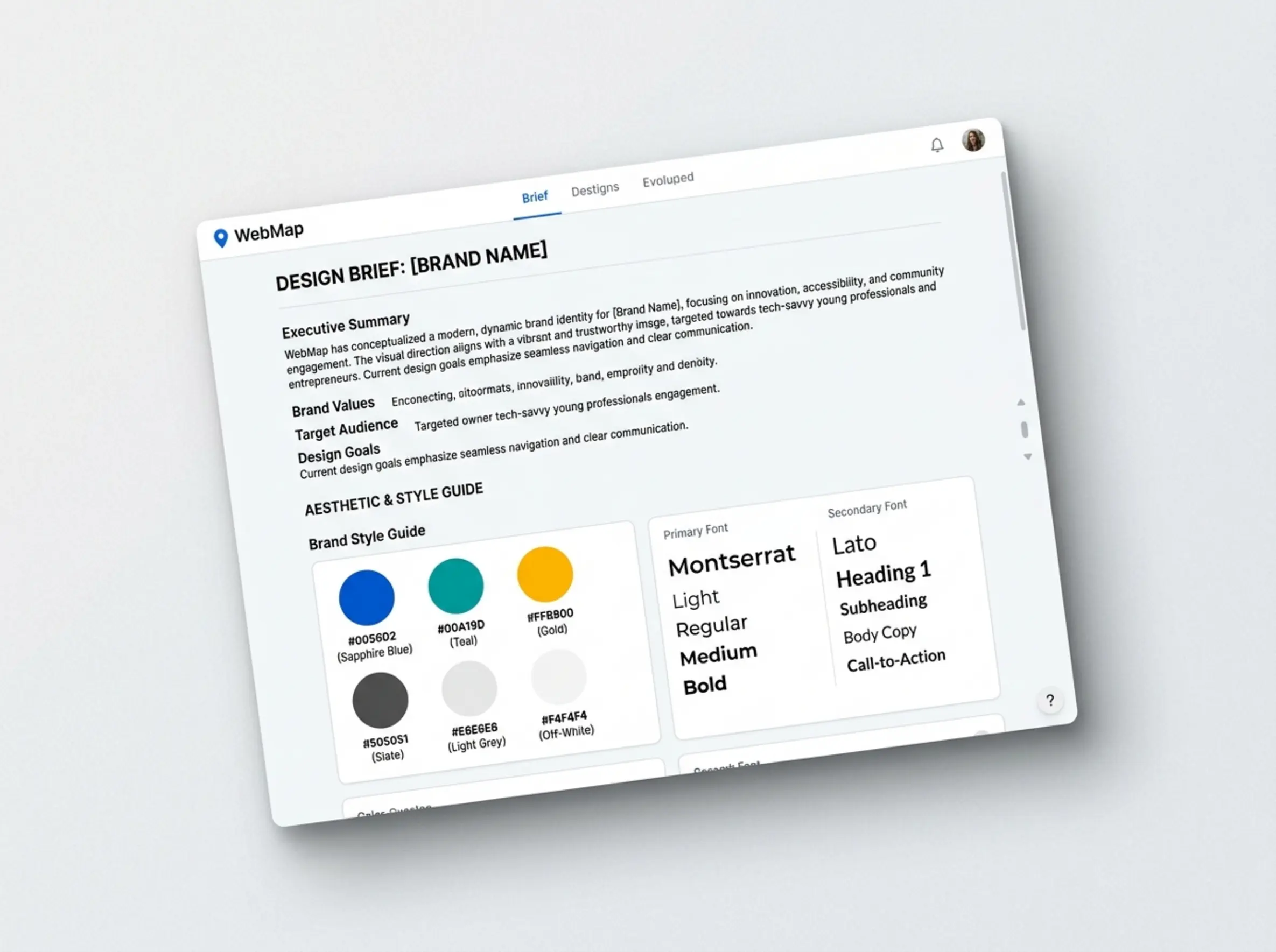
Client tells you what they want. AI turns it into a build-ready spec.
1
Gather Inspiration
Client pastes URLs of websites they like — their own, competitors, anything that catches their eye.
2
Leave Feedback
Tap anywhere to drop a pin comment. Love a page or skip it. This step is optional.
Love itSkipComment
3
Pages & Content
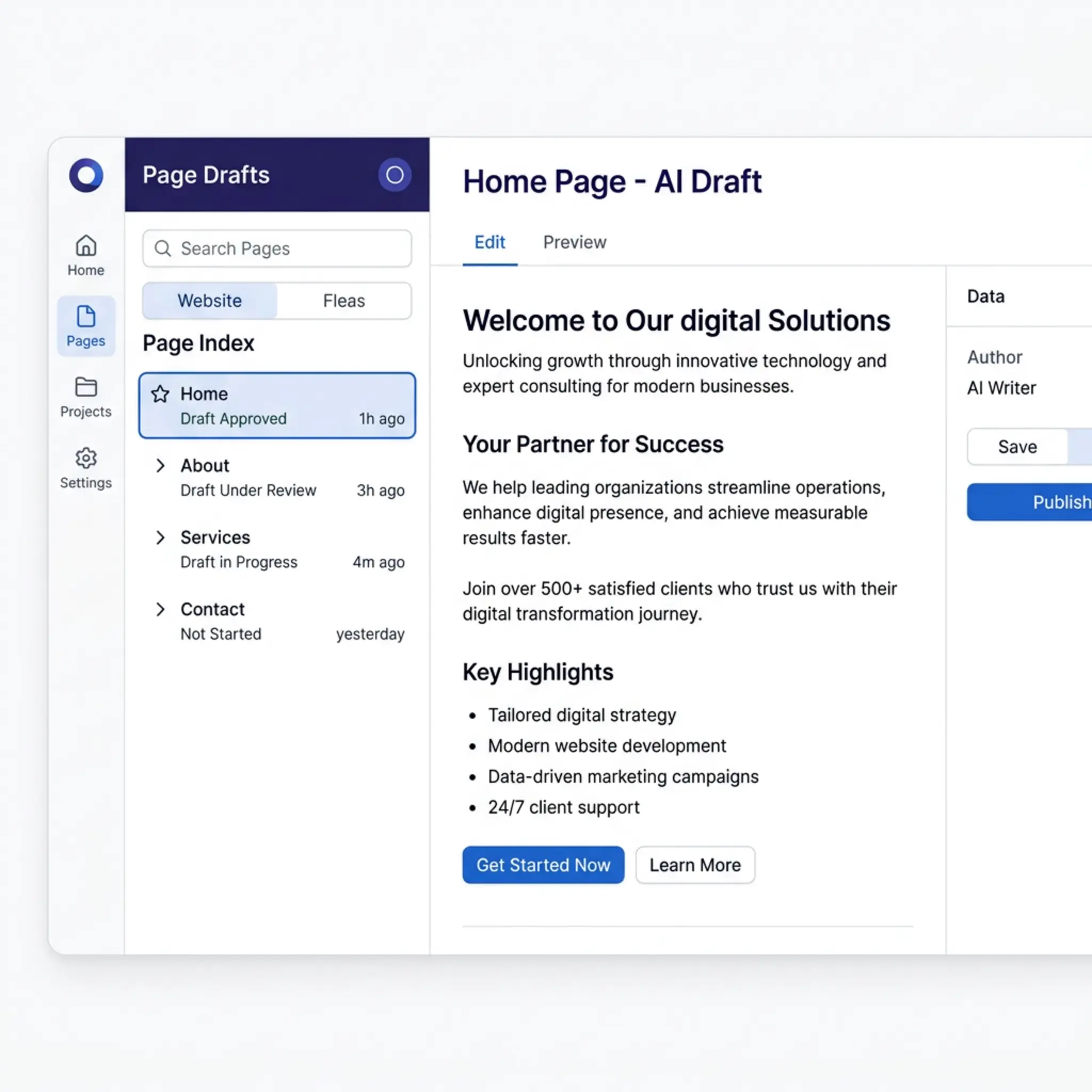
Drag and drop to plan their pages. AI writes draft content for each one.
4
Review & Submit
Check everything, then submit. AI generates a complete, structured design brief — ready to build from.
You build the site
2
The Review
Same link. Client reviews the draft and signs off.
1
Send Your Draft
Paste the staging URL into your dashboard and hit "Send for Review." Your client gets notified.
2
Client Reviews
They browse the live draft page by page. Drop pin comments on anything that needs changing. Approve pages that are good.
3
Sign Off
When every page is approved, they confirm sign-off. No ambiguity about whether it's done.
4
Review Summary
Every comment pinned to a screenshot, numbered and listed. Work through it and you're done — or send it back for round two.
What you get
From first brief to client handover — one tool.
Included on every plan
Pin-drop feedback
Clients tap on real websites to drop numbered comment pins instead of writing "make it modern" in an email.
AI-generated brief
All inspiration, feedback, and page plans synthesised into a structured design document — not a data dump.
In-app chat
Talk to your client directly inside the tool. Supports image sharing. No more context switching.
Build progress tracking
Tick off build milestones as you go. Your client sees a live progress tracker — no more "how's it coming?" emails.
Export anywhere
Download the brief as a PDF or copy it as structured markdown — ready to share with your team or drop into any AI tool.
Pro plan
AI Design System
Pro
AI generates a colour palette, typography pairing, and brand direction from your client's logo and inspiration pages. Fully editable.
AI page copy
Pro
Page descriptions and draft content auto-generated from your client's intake answers. They review and edit — you don't start from scratch.
Build Prompts
Pro
A 12-step guided workflow that turns the brief into copy-paste prompts for AI coding tools like Claude Code or Cursor.
Draft review & sign-off
Pro
Send your draft for client review via the same link. They browse live, drop pin comments, approve pages, and sign off — up to two rounds.
Asset & content requests
Pro
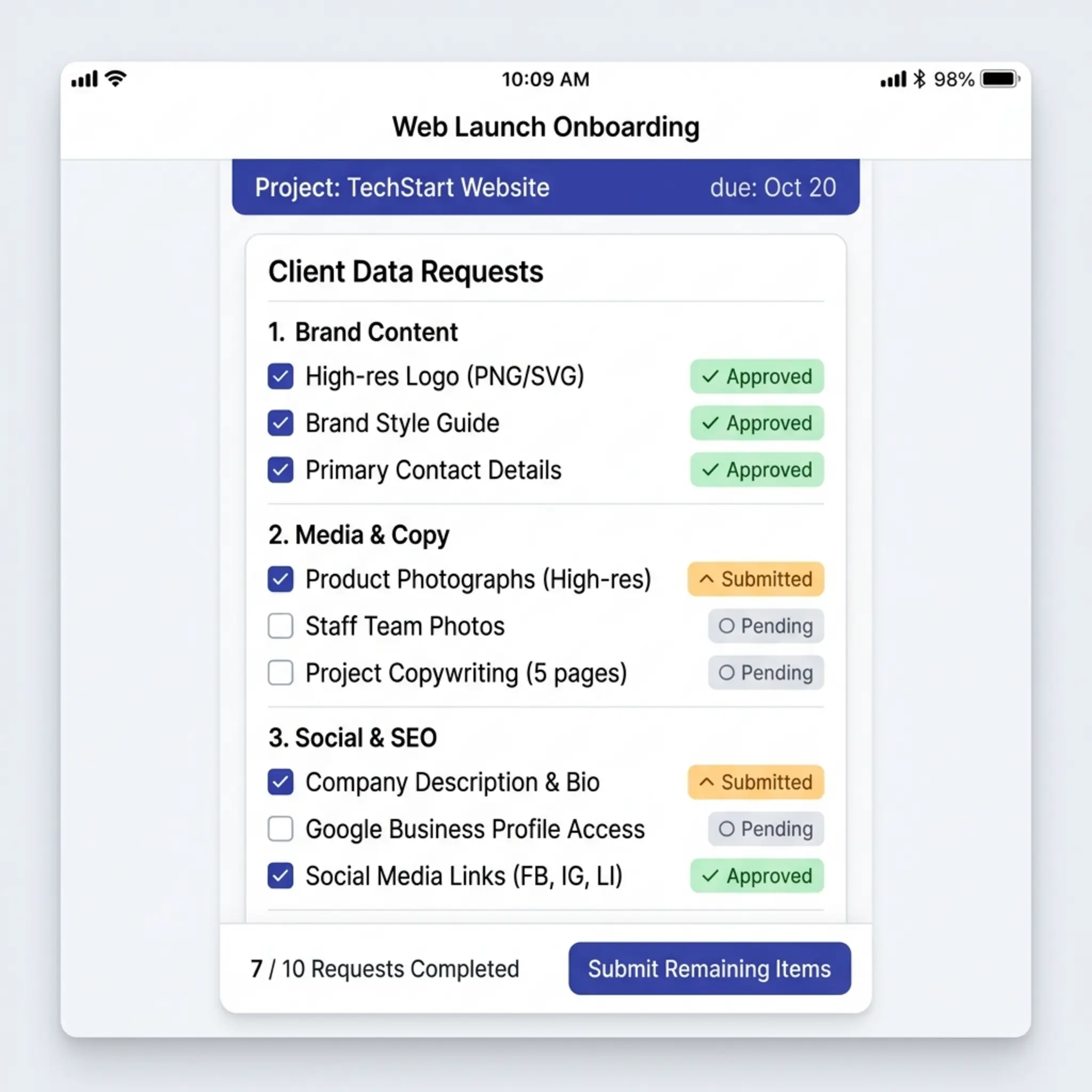
Create a structured checklist of what you need from the client mid-build. They submit text or file uploads directly from their audit link.
Launch checklist
Pro
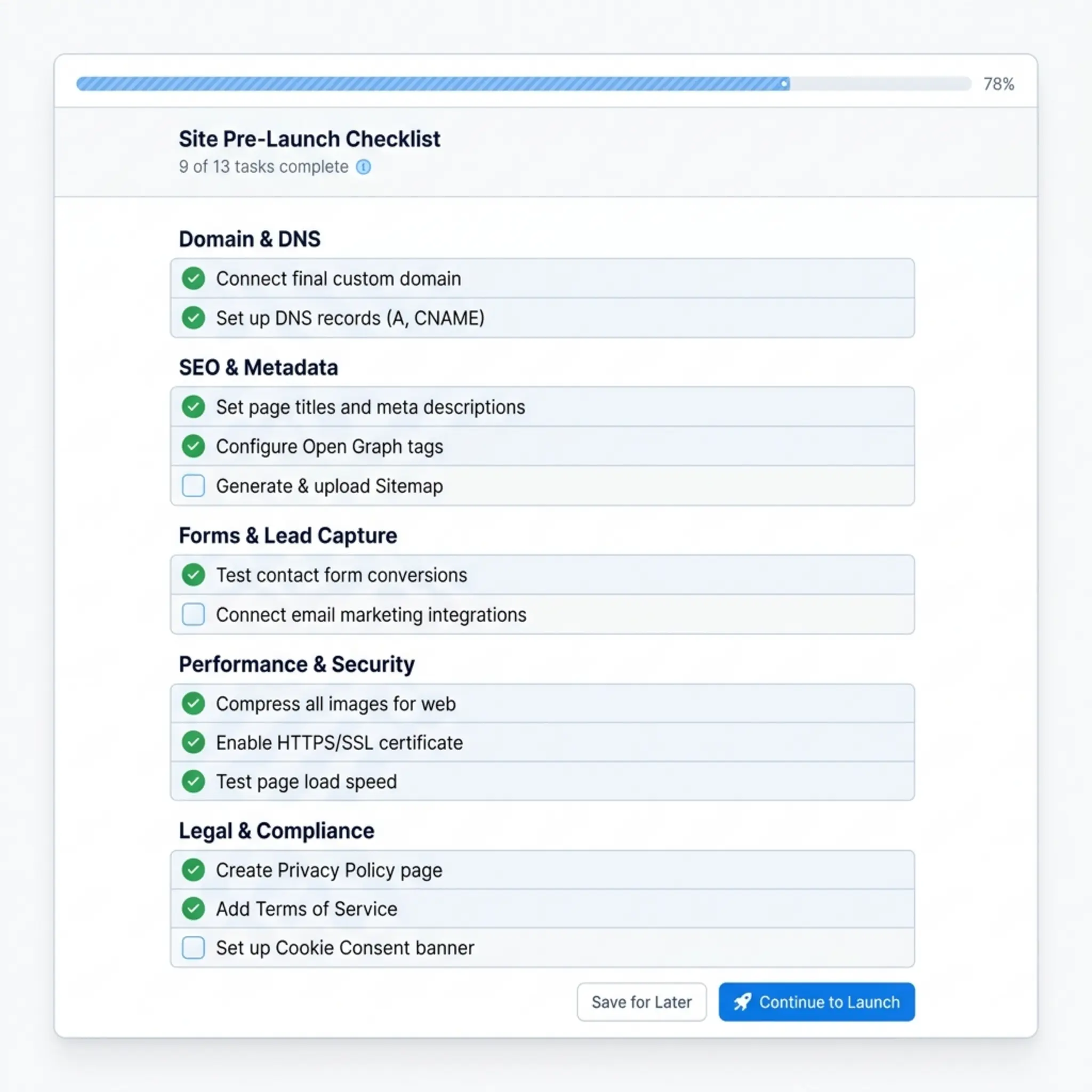
30 pre-built items across DNS, SEO, forms, performance, and legal. Load in one click and tick off before you go live.
Handover package
Pro
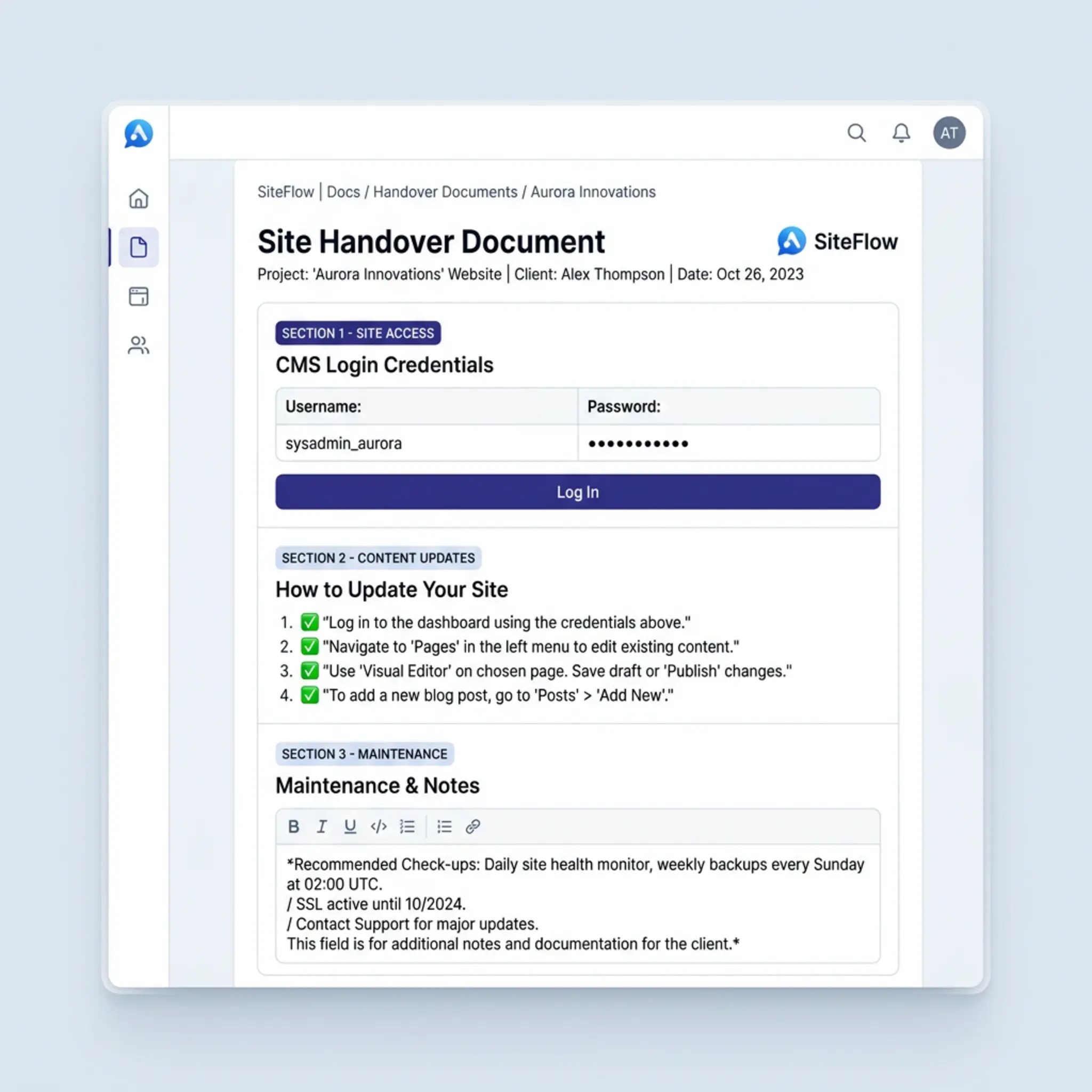
Post-launch doc with CMS credentials, how-to-edit instructions, and maintenance terms. Auto-populated from the project, shared with the client from their audit link.
Zero friction for your clients.
No account. No login. No app to download. Your client clicks a link and starts immediately — brief or review, from any device. The whole process takes 15–30 minutes. They do the work on their time; you get notified when it's ready.
Simple pricing
No subscriptions required. Pay when you use it.
Beta testers get 10 free project credits. Pricing below is what launches publicly.
Your project data stays in your dashboard forever — regardless of your plan. You only pay to create new projects.
FAQ
Common questions
Do my clients need to create an account?
No. Your client clicks a link and starts immediately — no login, no signup, no app to download. They can complete the entire process from their phone, tablet, or desktop.
What does the AI actually do?
On every plan: AI pre-fills your client's intake questionnaire from their existing website, then synthesises all their inspiration pages, pin comments, and page plans into a structured design brief. On Pro, it goes further — generating a full colour palette and typography pairing from the logo and inspiration, writing draft page content for each page, and producing Build Prompts: a 12-step workflow you paste directly into AI coding tools like Claude Code or Cursor.
What happens to my project data if I don't renew?
Nothing — it stays. Your projects, briefs, feedback, and uploaded files are kept in your dashboard forever, regardless of your plan. You only pay to create new projects.
When should I subscribe to Pro instead of paying per project?
Two reasons to go Pro. First, the features: Pro unlocks AI Design System, Build Prompts, draft review and sign-off, asset requests, launch checklist, and handover package — tools that cover the full project lifecycle, not just the brief. Second, the maths: if you run 2+ projects a month, Pro at $69/mo works out under $14 per project versus $38 on pay-per-project. Pay-per-project is better if your workload is less predictable or you want to try the tool first.
Can I switch to Pro later?
Yes. Everyone starts with a free project. You can buy more projects one at a time, or subscribe to Pro whenever it makes sense. If you cancel Pro, your data stays and you can go back to paying per project.
Can multiple people in my agency use WebMap?
Right now, each account includes 1 seat (one login). Multi-user support with team seats is on the roadmap. If you need it sooner, get in touch.
What sites can my clients leave feedback on?
Any website — their own, a competitor's, a site from a completely different industry that they admire. If the site blocks iframes, WebMap automatically falls back to a screenshot so feedback still works.
Is this just for new website builds?
It works for redesigns too. Clients can mark pages they love, skip what they don't, and drop comments on anything they want changed — then plan out the new structure alongside it.
How does the draft review phase work?
Paste the staging URL into your dashboard and send for review. Your client opens the same link — it now shows the draft. They browse page by page, drop pin comments on what needs changing, and approve the rest. When they're done, they sign off. You get a summary with every comment pinned to a screenshot, and can send it back for a second round if needed.
Can I use WebMap with AI coding tools?
Yes — this is one of WebMap's biggest advantages. Every brief includes Build Prompts: a 12-step guided workflow you can paste directly into tools like Claude Code or Cursor. The prompts reference your client's design system, so the AI produces consistent, on-brand output instead of generic code. You can also export the entire brief as structured markdown with one click.
What currency are prices in?
All prices are in Australian Dollars (AUD). There's a currency toggle on the pricing section to see approximate USD equivalents.
Built by
High Country Digital
WebMap was built by Jason Townsend at
High Country Digital
— a digital consultancy that builds tools and systems for web agencies
who are tired of doing things the hard way.
WebMap came from living through the same painful discovery process on every project. The emails. The chasing. The "can you send me that again?" We built the fix.
Apply for early access and see the difference on your next project.
Need something custom?
We build custom tools, automations, and internal systems for web agencies. If you have processes that should be automated, we can build something that fits the way you work.